
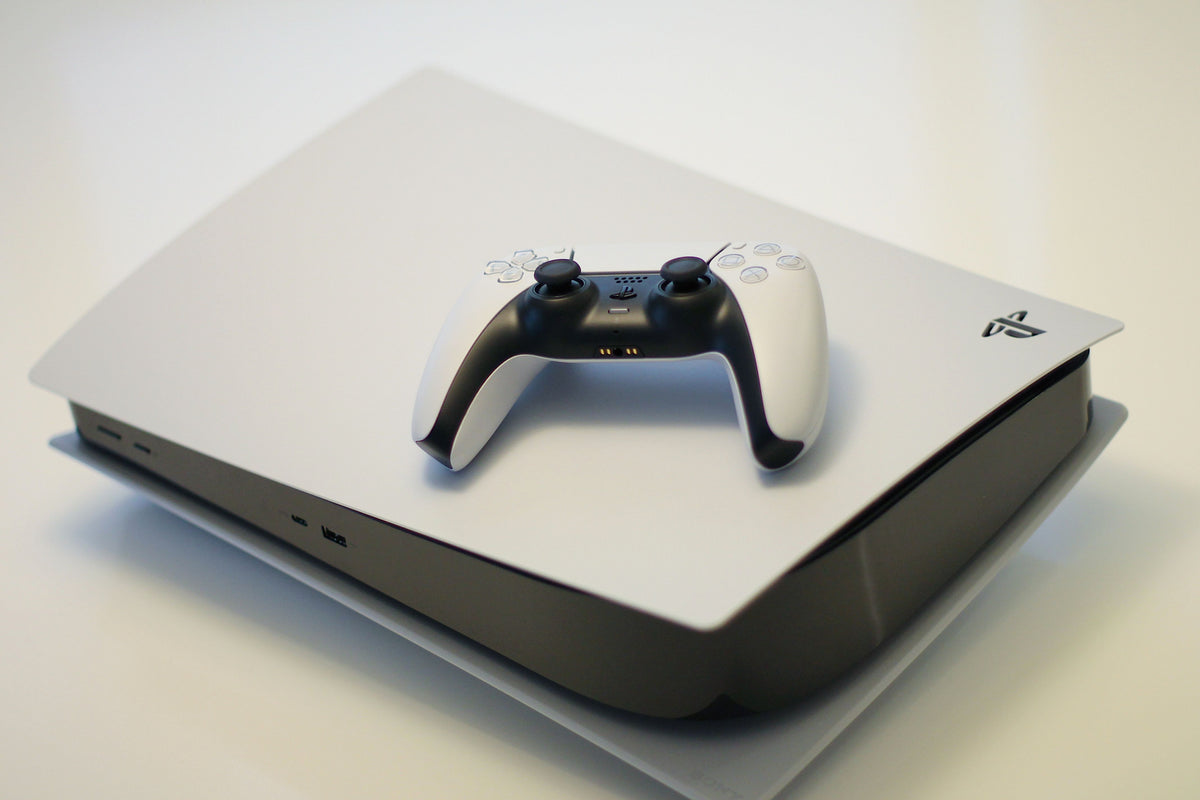
Shoppers comparing a 4k gaming console usually want more than a spec sheet. The real decision comes down to how well a system handles modern TVs, whether it can output true 4K or uses upscaling, and whether the game library justifies the price. Some buyers are also weighing a game stick 4k against full-size consoles, which makes the choice feel bigger than resolution alone. The practical answer depends on performance, convenience, and the kind of games that matter most.
Best 4K Gaming Console Options
The strongest options split into three camps: premium consoles for best image quality, value-focused systems for broad access, and plug-and-play devices for casual play. Full consoles usually win on game quality, online features, and long-term support. Compact sticks are cheaper and easier to travel with, but they are rarely the best choice for serious 4K output. The right pick depends on whether the buyer wants living-room polish or simple entertainment.
Which console is best for 4K gaming?
For most buyers, the PlayStation 5 is the safest overall choice because it balances strong 4K performance, a deep exclusive lineup, and wide TV support. Xbox Series X is close behind, especially for players who value Game Pass, quick downloads, and excellent backward compatibility. A Nintendo Switch is not the answer for true 4K gaming, but it still fits households that prioritize portability and family-friendly titles. Choose PS5 for exclusives and all-around polish, Xbox Series X for subscription value, and a game stick only if price and simplicity matter more than image quality.
Do Consoles Actually Run 4K?
Many consoles can output 4K, but not every game renders natively at that resolution. In practice, a lot of titles use upscaling, dynamic resolution, or performance modes that trade some sharpness for smoother motion. That tradeoff matters because frame rate often changes how clean a game feels on a 4K TV. A steady 60 fps can look better than a choppier native 4K image, especially in fast shooters, racers, and sports games.
What do I need to play 4K gaming?
To play 4K gaming smoothly, you need a console or gaming console that supports 4K output, a 4K TV or monitor, and the right HDMI connection. For the best results, your display should also support HDR and, ideally, HDMI 2.1 for newer features and higher refresh rates. A good internet connection can help with downloads and updates, while extra storage may be needed because modern games can fill 1TB quickly. If you are using a game stick 4k, check whether it can truly output 4K or simply scales images for casual play.
Can a PS5 do 4K gaming?
Yes, the PS5 can do 4K gaming, but results vary by title and mode. Some games hit native 4K, while others lower resolution to keep performance stable. The best outcome usually depends on a TV with 4K support, the console's game mode settings, and whether the developer offers quality or performance presets. With the right display, the PS5 can look excellent; with older TVs, the difference may be less dramatic than expected.
Buying Factors That Matter Most
Resolution gets the attention, but display compatibility and refresh rate decide how good the experience feels. A 4K TV with HDR and HDMI 2.1 support gives premium consoles more room to shine. Storage also matters fast: modern games can fill 1TB quickly, so buyers should check expansion options. Subscription services, multiplayer access, and exclusive libraries add real value, while cheaper devices often save money upfront but limit long-term playability.
How to choose the right 4K gaming console
Start with budget, TV quality, and how often games will be played. If performance and premium titles matter most, a full console is the better investment. If the goal is convenience and low entry cost, a compact stick can work for light gaming or travel. Factor in the controllers, online subscriptions, and extra storage, because those costs can change the final price fast. For buyers who want the cleanest 4K experience, spending more usually pays off.
Are wireless controllers worth it?
Wireless controllers are worth it for most living room setups because they add comfort and reduce cable clutter. They also make it easier to play from a couch or farther away from the TV. Just keep battery life, charging method, and compatibility in mind before you buy. If you are comparing a game stick 4k with a full console, controller quality can be one of the biggest differences in everyday use.
Portable Game Sticks vs Full Consoles
Game sticks appeal to buyers who want something tiny, affordable, and easy to plug into any TV. They are handy for casual sessions, party games, or retro-style collections, but they rarely match the visual consistency of a true premium console. Full consoles cost more, yet they deliver better game libraries, stronger online features, and more reliable 4K output. The tradeoff is simple: portability and low price versus better performance and deeper gaming value.
What is a retro game console?
A retro game console is usually designed to play older-style titles, either through original hardware, mini systems, or modern plug-and-play devices. Many game sticks in this category focus on classic libraries from systems like Sega Genesis and Super Nintendo, making them popular for nostalgia and quick setup. Some even include save state features, which let players pause and return to a game later without losing progress. These devices can be fun in the living room, but they are not the same as a modern 4K gaming console built for current releases.
How to set up a game stick 4K
To set up a game stick 4K, connect it to your TV's HDMI port, plug in power if required, and pair the controllers. Then follow the on-screen prompts to choose language, display settings, and network options if the device supports them. Many users can be playing within minutes because setup is usually much simpler than with a full-size console. Still, check the resolution settings carefully so the device is actually outputting the best picture your TV can support.
Is the R36S legal?
The R36S itself is not the whole legal question; the bundled software is what matters most. Legality depends on whether the device includes licensed games, user-loaded ROMs, or copyrighted material that is not authorized. Copyright rules vary by region, so buyers should check what comes preinstalled before ordering. If a listing is vague about included games, that is a warning sign worth taking seriously.
Final Verdict Before You Buy
For most shoppers, the best 4k gaming console is still a full-featured system like the PS5 or Xbox Series X, not a game stick. Those consoles offer better graphics, stronger libraries, and more dependable 4K performance. Cheaper portable devices make sense for casual use, but they give up too much if the main goal is a premium living-room setup. Match the console to the TV, budget, and gaming style, and the right choice becomes much easier to spot.
Share:
Smart Bulbs vs Regular LED Bulbs in 2026: Are Smart Lights Worth It?
Best Portable Music Players for Sound Quality in 2026